

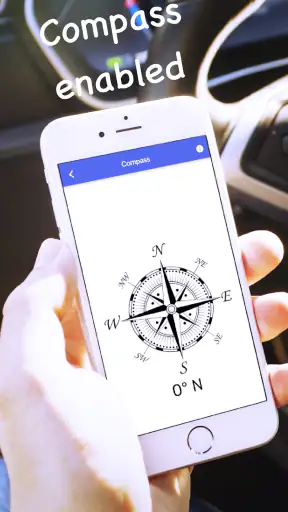
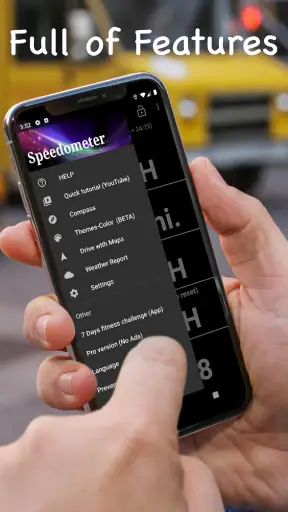
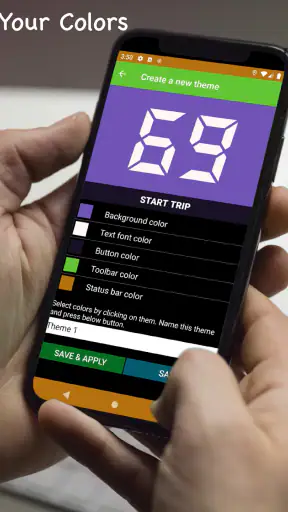
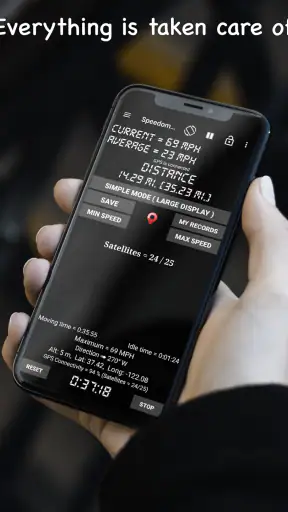
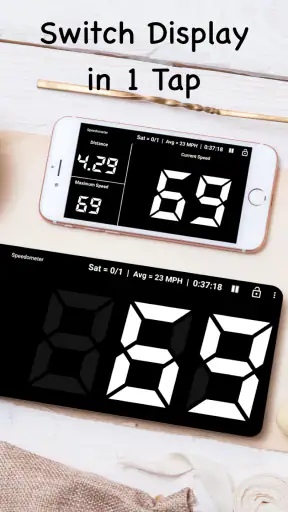
I like driving tools that do one job clearly, and GPS Speedometer: Speed Tracker takes that approach. It turns an Android phone into a simple dashboard for checking current speed and distance while travelling by car, bike, or truck. I found it most useful when I wanted a quick reading without opening a full navigation system and dealing with a map, route suggestions, traffic layers, or other distractions.
This is a free app in the Maps & Navigation category from COOL NIKS. It has built a strong audience, with a 4.7 average from around 61 thousand ratings and more than 5 million installs. Those figures do not replace personal testing, but they do suggest that the straightforward idea works for many people. My own view is more specific: this is a focused instrument for speed and distance, not a complete replacement for a navigation suite.
What the app feels like in everyday use
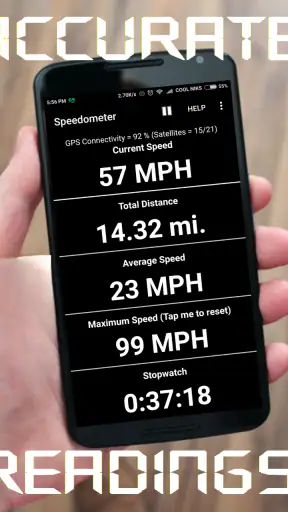
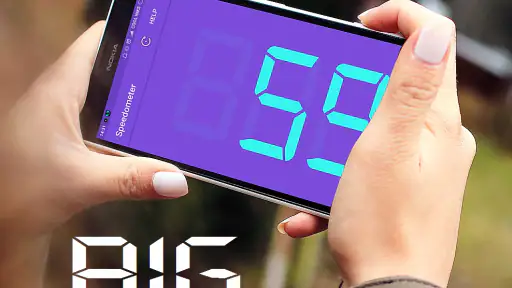
The first thing I noticed is how quickly the purpose becomes clear. The central task is to let the phone use GPS to estimate movement speed and track travelled distance in real time. That makes the app easy to understand for someone who does not want to learn a complicated interface. I can imagine opening it before leaving for a trip, placing the phone where the display is visible, and checking the reading as I go.
That simplicity is also the main reason to choose it over a conventional navigation app. A navigation service is better when I need turn-by-turn directions, a searchable destination, live traffic information, or a visual route. GPS Speedometer: Speed Tracker is more appropriate when I already know where I am going and only need a speedometer-style display with an odometer function. Its value comes from focus rather than from trying to replace every driving tool.
The app is suitable for more than one type of vehicle. A driver may use it as a secondary speed display, a cyclist may want a basic view of movement speed and trip distance, and a truck driver may appreciate a larger, less cluttered alternative to a map screen. The usefulness depends heavily on mounting the phone safely and keeping attention on the road. I would never treat an on-screen reading as a reason to handle the device while moving.
Speed expectations: what the reading is really good for
A GPS speedometer does not measure speed in exactly the same way as a mechanical or vehicle-installed instrument. It estimates movement from location changes, so the result depends on the quality of the GPS signal and on how consistently the phone can determine its position. In open surroundings, I would expect a useful indication of travel speed. In places with obstructed reception, sharp changes in direction, or very slow movement, I would treat the number as an estimate rather than an instrument-grade measurement.
That distinction matters most at low speeds. When a vehicle is barely moving, small changes in location can make the displayed value feel less settled than a built-in speedometer. At ordinary road speed, the reading is more useful as a general reference. I would use the car’s own speed display for legal or safety-critical decisions and keep this app for convenience, comparison, or situations where a separate visual reference is helpful.
There is also a practical delay to consider. GPS-based readings need location updates, so the display may not react in the same instant as a mechanical needle. A person expecting racing-style precision may find that frustrating. For a normal journey, however, a small delay is easier to accept if the screen remains readable and the number follows the overall pace of travel.
One useful habit is to start the app before moving and give the phone a moment to establish a sensible position. I would also avoid judging its performance from the first few seconds after opening it. Beginning under a clear sky, rather than immediately inside a covered parking area, gives the location system a better chance to settle. This is not a special mode or hidden trick; it is simply the right way to judge any GPS-based speed display.
Heavy-use moments and longer journeys
The most demanding situation is not necessarily a single fast trip. A long journey with the screen kept awake, GPS active, and the phone connected to other services can place more pressure on the device than a short check of speed. I would plan for that by starting with a well-charged phone and using a reliable vehicle charger. The app itself is focused, but the phone still has to power the screen and location hardware.
Heat is another consideration. A phone mounted behind a windscreen in direct sunlight can become warm, especially while charging. If the display begins to dim or the device becomes uncomfortable to touch, I would improve ventilation or stop using the app until the phone cools. That is a general smartphone limitation, but it directly affects this type of dashboard use because the screen is normally visible for an extended period.
For a daily commute, I would not leave the app running automatically every time unless I genuinely needed the reading. Opening it only for selected trips reduces unnecessary screen time and makes the tool feel more purposeful. For a road trip, I would use it alongside a separate navigation solution if directions were required, rather than expecting one app to provide both jobs.
A useful workflow for cyclists is slightly different. Before setting off, I would secure the phone firmly, choose a position that does not require looking down for long, and check the distance only when safely stopped. The app can be a convenient trip companion, but it should not encourage frequent glances in traffic. On a bike, the mount and visibility of the display matter more than having every possible statistic on screen.
Truck users should think about the same issue from a different angle. A large vehicle may spend time in areas where GPS reception is interrupted by buildings, tunnels, or covered loading spaces. The app can be helpful once the vehicle is moving in open conditions, but it should not be used to diagnose every discrepancy between GPS speed and the truck’s own instruments. For regulated driving, the vehicle’s approved equipment remains the important reference.
Reliability, recovery, and what happens when conditions change
Reliability here means more than whether the app opens. It also means whether the reading remains understandable when the phone loses a clear view of the sky, when the vehicle stops, or when the device has been busy with other work. GPS tools naturally recover better when the phone can obtain a fresh position. After leaving a tunnel or an enclosed garage, I would allow a short period for the reading to become meaningful again instead of assuming the first number is immediately accurate.
If the display appears stuck or behaves strangely, my first response would be practical: check that location access is available, make sure the phone is not in an extreme power-saving state, and confirm that the device has not become too hot. I would then close and reopen the app if necessary. That recovery process is simple enough for everyday use, although it is still a reminder that the app depends on the phone’s location system rather than working like a self-contained dashboard instrument.
Signal interruptions are particularly important in urban streets. Tall buildings can create conditions where the phone sees less of the sky, and the resulting location estimate may be less stable. In that situation, I would use the app for a broad sense of movement and distance, not for deciding whether I am just above or below a strict speed limit. A built-in vehicle display is better suited to that responsibility.
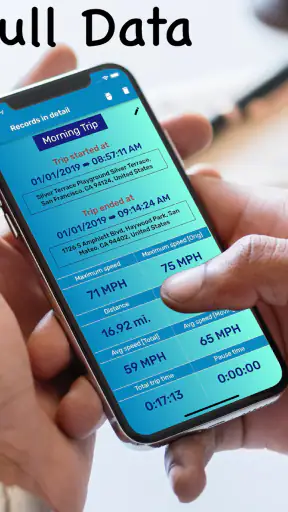
Distance tracking has a similar trade-off. It is useful for estimating how far a trip lasted, comparing the length of regular rides, or keeping a simple record of a journey. It should not be treated as a survey tool. A route with poor reception, repeated stops, or unusual movement can produce an estimate that differs from the distance I would calculate from a map. For casual travel records, that is acceptable; for reimbursement, logistics, or formal measurement, I would verify the result elsewhere.
I also appreciate that the app has a clear audience rather than pretending every user needs it. Someone who wants a lightweight speed-and-distance companion may find recovery manageable. Someone who expects uninterrupted professional-grade telemetry, detailed trip history, or a full navigation workflow may become dissatisfied because the concept is intentionally narrower.
Device constraints and setup choices
The current version is 18.2.0, and the app supports Android 7.0 or later. That gives it a broad range of compatible Android phones, including devices that are no longer new. Still, compatibility does not guarantee identical behavior on every handset. Screen size, GPS hardware, battery condition, background restrictions, and the phone manufacturer’s power management can all affect the experience.
Older phones may be perfectly adequate for a basic display, but their batteries can drain faster during prolonged GPS and screen use. A smaller screen may also make dashboard viewing less comfortable. I would test the placement while parked before beginning a journey. If the numbers are difficult to read without leaning toward the phone, the setup is not safe or practical, regardless of how well the app itself works.
Power management deserves special attention. Some Android devices are aggressive about limiting background activity, while others reduce performance when the battery is low or the phone is warm. If I needed the app during a long drive, I would avoid starting with a nearly empty battery and would check the device’s normal behavior on a short trip first. This is one of the more important real-world tests because a speedometer is only useful while the phone remains active and visible.
Mounting is another hidden trade-off. A dashboard mount can make the display easy to see, but it may place the phone in sunlight or near a warm surface. An air-vent mount can improve cooling in some cars, although it may interfere with airflow or fit differently depending on the vehicle. I would choose the safest position rather than the most visually impressive one, and I would never hold the phone while driving.
For motorcycles and bicycles, weather and vibration add further constraints. A phone that is secure on a smooth car dashboard may not be secure on a handlebar. I would use a mount designed for the vehicle, keep the screen glanceable, and stop before changing settings. The app can support a simple ride, but it cannot solve the physical risks of exposing a phone to vibration, rain, or a fall.
The Everyone content rating also makes the app approachable for a broad audience. In practical terms, that means I could recommend it to a family member who wants a basic speed display without expecting a mature or specialized interface. The free price lowers the barrier to trying it, which is useful because the best way to decide is to test the app on the particular phone and vehicle that will be used.
Where it beats the usual alternatives
Compared with a full navigation app, this tool is less distracting when the destination is already known. A map can show far more information, but that information is not always helpful when I only want a large speed reading and a rough distance figure. Opening a dedicated speedometer can also be quicker than entering a destination and waiting for a route screen to load.
Compared with a vehicle’s built-in speedometer, the phone app offers portability. I can move the same device between a car, a bicycle, and another vehicle. That is convenient for households with more than one mode of transport. The trade-off is that the phone depends on GPS and battery power, while the installed instrument is integrated into the vehicle and remains the more authoritative source for driving decisions.
Compared with a cycling computer or specialist trip device, it may be cheaper and easier to try because the phone is already available and the app is free. Dedicated hardware can still be the better choice for riders who need dependable outdoor operation, physical buttons, specialized ride metrics, or long battery endurance. I would choose this app for occasional rides and simple checks, not automatically for serious training or professional transport work.
One non-obvious advantage is that the app can serve as a second opinion. If a vehicle’s display seems unusual after changing tyres or moving between vehicles, a GPS estimate can help me notice a broad difference during a safe, controlled comparison. I would not use that experiment to challenge the vehicle’s certified equipment, but it can reveal whether my impression is worth investigating.
Who should use it, and who should skip it
I would recommend it to someone who wants a clean, portable way to view approximate travel speed and distance. It suits occasional road trips, casual cycling, a second vehicle, or a phone mounted as a simple dashboard display. It is also a reasonable choice for people who find full navigation apps visually busy and want to keep route planning separate from speed monitoring.
I would be more cautious about recommending it to a person who needs legally dependable speed information, highly detailed trip records, or professional fleet monitoring. The same applies to anyone who dislikes mounting a phone, charging during travel, or dealing with GPS recovery after tunnels and enclosed spaces. In those cases, a built-in instrument or dedicated hardware is the better fit.
The app is not something I would use to encourage faster driving. A visible speed number should support awareness, not turn a normal journey into a challenge. Its safest role is passive: set it up before moving, glance briefly when appropriate, and rely on the vehicle and road conditions for decisions that affect safety.
My performance verdict
After looking at the complete experience, I see GPS Speedometer: Speed Tracker as a useful specialist rather than an all-purpose travel app. Its perceived speed is good when the phone has a sensible GPS view, its interface is easier to approach than a feature-heavy navigation screen, and its portability is a genuine advantage. The main limitations come from the phone itself: battery use, heat, mounting, screen visibility, and location recovery.
The strongest way to use it is to keep expectations realistic. Start it before the journey, allow the location reading to settle, mount the phone securely, and use the displayed speed as an estimate rather than a replacement for the vehicle’s own instrument. For distance, treat the result as a convenient trip approximation. Those small habits make the experience more dependable without pretending GPS can behave like dedicated hardware in every environment.
COOL NIKS has kept the idea accessible by offering it free, and the app’s popularity suggests that many people appreciate this focused approach. With its 18.2.0 release and Android 7.0 minimum requirement, it remains an option for a wide range of compatible phones. I would install it when I wanted a portable speedometer for occasional, everyday use, especially if a full navigation app felt excessive.
My final recommendation is therefore positive but specific: choose it for simple real-time speed and distance awareness, not for professional measurement or complete navigation. Used within those boundaries, it is a practical companion for a car, bike, or truck and a sensible free app to try before buying dedicated equipment.


